
If you follow the high-end television market, you know that for the past decade, the battle lines have been drawn clearly. In one corner, you had OLED (Organic Light Emitting Diode), the champion of infinite contrast and perfect blacks.
In the other, you had LED/LCD, the champion of raw brightness and longevity. For years, the advice was simple: if you have a dark room, buy an OLED; if you have a bright room, buy an LED.
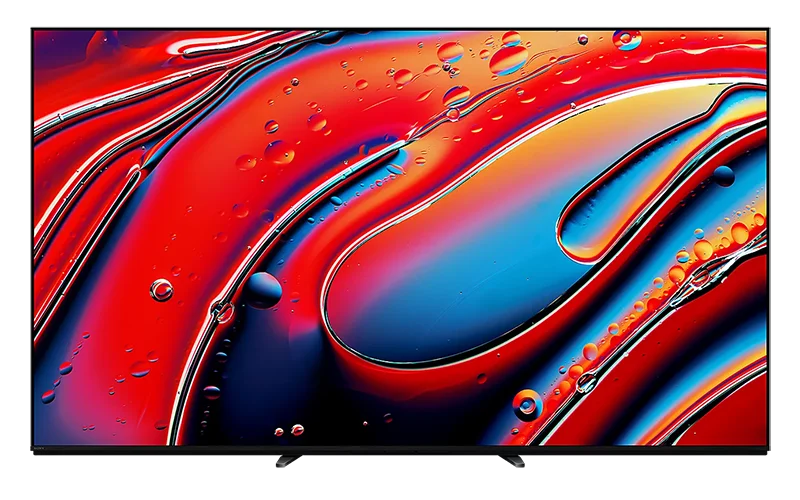
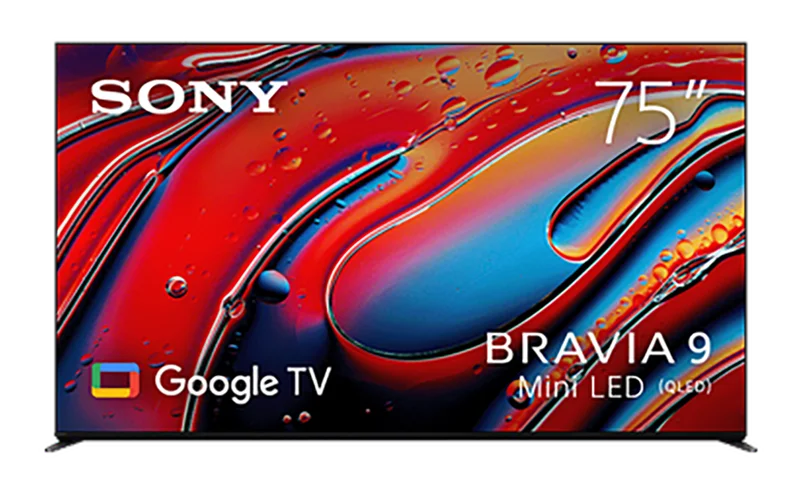
With the release of the Sony Bravia 9 (Model XR90), Sony hasn’t just blurred those lines — they have effectively erased them.
I have spent the last three weeks living with the 75-inch model of the Bravia 9, pushing it through a gauntlet of 4K Blu-rays, next-generation gaming, and punishing torture tests designed to break backlight algorithms. I can tell you right now: this is not just an update to the X95L.
This is a fundamental shift in how Sony approaches home cinema.
It is a television that claims to bring the mastering studio to your living room, and for the first time in a long time, that marketing slogan feels like a factual statement.
Below is comprehensive, deep-dive review of Sony’s new flagship Mini-LED.
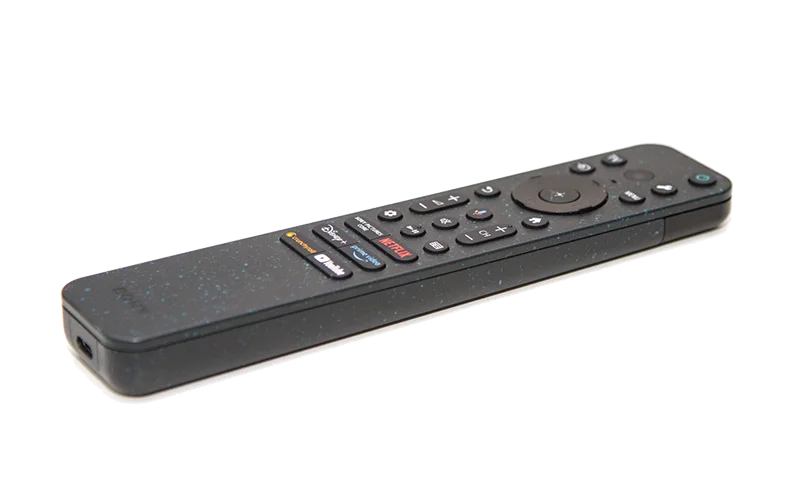
Introduction: "Cinema Is Coming Home"
To understand the Bravia 9, you have to understand what Sony is trying to do. This year, Sony’s slogan is "Cinema Is Coming Home." It sounds like fluff, but it is rooted in hardware.
Sony recently released a new professional mastering monitor, the BVM-HX3110. This is the monitor that Hollywood colorists use to grade the movies you watch. Unlike previous OLED mastering monitors, the HX3110 is capable of sustained brightness levels that OLED simply cannot reach.
The Bravia 9 was built specifically to match the performance profile of that mastering monitor. Sony is essentially saying that as movies get brighter—with HDR highlights pushing past 2000 and 3000 nits—OLED TVs can no longer show you the full picture. You need a display that can get brighter without clipping detail.
The Bravia 9 is that display. It features thousands of Mini-LEDs, the most advanced local dimming algorithm Sony has ever written, and a peak brightness that is frankly startling. But does raw power translate to a beautiful picture? Let’s find out.
Design and Build Quality:
The "One Slate" Philosophy
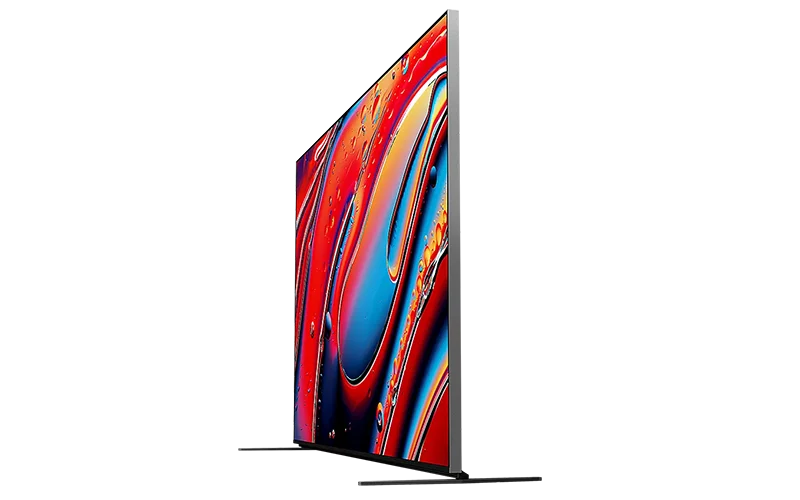
Before we turn it on, we have to look at it. In an era where TVs are becoming increasingly plasticky, the Bravia 9 feels like a piece of luxury furniture.
The Aesthetic
Sony continues its "One Slate" design language here. The concept is simple: distraction-free viewing. The bezel is incredibly thin, featuring a seamless edge design where the glass meets the metal frame with almost no gap. The bezel itself has a "Vibration Finish"—a dark silver, textured metallic look that catches the light subtly but never reflects it back at the viewer. It looks premium, understated, and heavy. And I mean heavy—the 75-inch model weighs over 93 pounds (42 kg). You will want a friend to help you set this up.
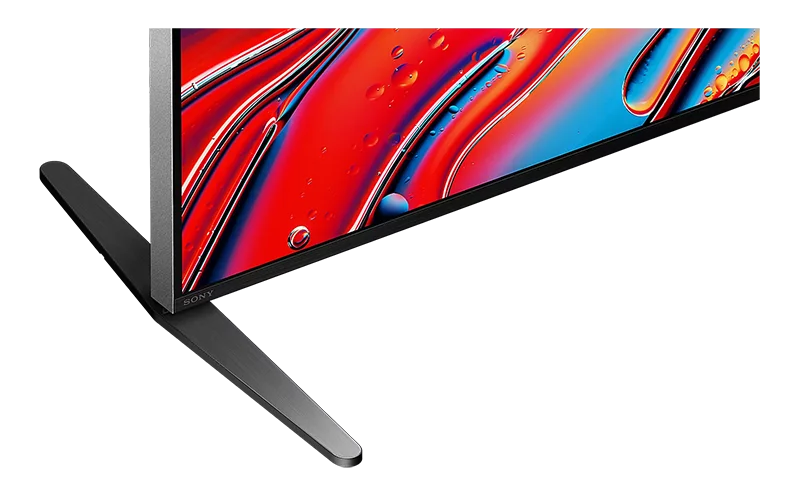
The 4-Way Stand
One of the most consumer-friendly aspects of the Bravia 9 is the versatility of its stand. The feet are solid metal and can be configured in four different ways:
- Standard Position: The feet are at the far edges of the screen, providing the sleekest look.
- Narrow Position: The feet are moved toward the center, allowing the massive TV to sit on a smaller media cabinet.
- Soundbar Position (Outer): The feet are raised, creating enough clearance to slide a soundbar underneath without blocking the screen.
- Soundbar Position (Inner): Raised height, but with a narrow footprint.
This flexibility is a massive win. Many competitors force you to wall-mount if your furniture isn't wide enough, but Sony acknowledges the reality of varying living room setups.
The Technology:
Mini-LED and the XR Backlight Master Drive
This is the most important section of this review. If you are a tech enthusiast, this is what you are paying for.
What is Mini-LED?
Traditional LED TVs use a few dozen or hundred LEDs to light the screen. "Mini-LED" shrinks these light sources down to the size of a grain of sand, allowing manufacturers to pack thousands of them behind the LCD panel. However, having thousands of LEDs doesn't matter if you can't control them properly. If the control is sloppy, you get "blooming"—that ugly halo effect where a bright object on a black background looks like it’s glowing in fog.
The Secret Weapon: XR Backlight Master Drive
This is where Sony separates itself from Samsung, TCL, and Hisense. The Bravia 9 uses a proprietary driver technology called the XR Backlight Master Drive.
In most Mini-LED TVs, the LEDs are controlled in clusters. Sony has developed a custom integrated circuit (IC) driver that is the world’s smallest, allowing for incredibly granular control. But it’s not just about turning lights on and off. It’s about gradation.
During my testing, I watched the famous "Vegas" scene from the movie Elvis. This scene is a nightmare for TVs: bright neon lights against pitch-black night skies. On lesser Mini-LEDs, the neon signs look bright, but the black sky around them turns gray. On the Bravia 9, the precision was OLED-like. The transition from the bright filament of a lightbulb to the darkness surrounding it was immediate and sharp.
High Peak Luminance
We need to talk about the brightness. The Bravia 9 is capable of hitting peak brightness numbers that are staggeringly high—measurements suggest it can push well past 3,000 nits in small windows.
Why does this matter? It’s not just to hurt your eyes. It’s about Specular Highlights. When you look at a reflection of the sun on a chrome bumper, or a spark flying from a welding torch, those points of light are incredibly intense in real life. Most TVs have to dim these down because they can't handle the energy. The Bravia 9 displays them with true-to-life intensity. It creates a 3D-like depth simply because the lighting looks real.
Picture Quality Performance
I tested the Bravia 9 in three distinct environments: a sun-drenched living room at noon, a dim evening setting, and a pitch-black home theater room.
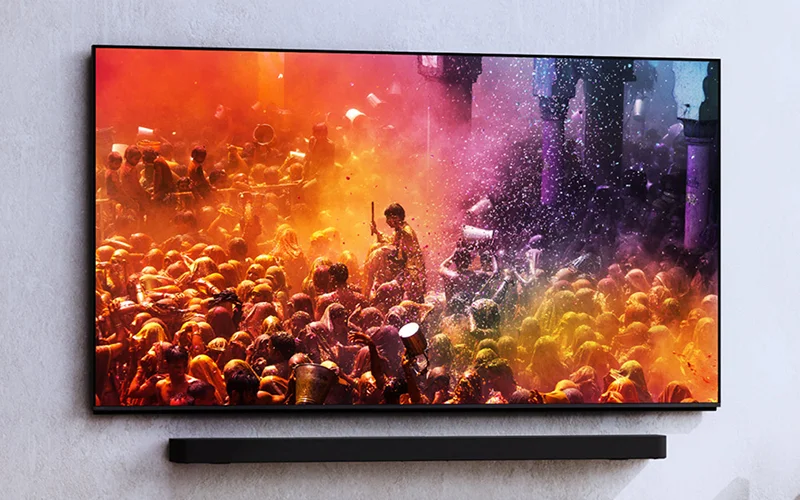
Bright Room Performance
This is the Bravia 9’s home turf. If you have a living room with floor-to-ceiling windows, this is the TV you buy. The X-Anti Reflection coating is superb. It doesn't eliminate reflections entirely (physics is physics), but it diffuses them effectively so they don't distract from the image.
Combined with the massive brightness output, the TV simply powers through ambient light. You can watch a dark episode of House of the Dragon at 1 PM with the blinds open, and you will still see shadow detail that would be completely washed out on an OLED.
Dark Room Performance & Contrast
This is where Mini-LEDs usually fail, but the Bravia 9 is different. The black levels are shockingly deep. In the "Letterbox bars" (the black bars at the top and bottom of a movie), I noticed zero light leakage. They remained inky black throughout 99% of my viewing.
Is it better than OLED? In terms of pure black, OLED is still the reference because it can turn pixels off completely. However, the Bravia 9 gets closer than any LCD I have ever seen. The trade-off is worth it for the extra color volume (which I will discuss next).
Color Performance: XR Triluminos Pro
Brightness helps color. When a TV lacks brightness, vibrant colors wash out and become white at high intensity. Because the Bravia 9 has such high luminance, it maintains saturation even in the brightest scenes.
Using Sony’s XR Triluminos Pro engine, the color accuracy out of the box is phenomenal. Skin tones—often a stumbling block for high-brightness TVs—looked natural. There was no "red push" or waxy texture to faces. The lush greens of the jungle in Planet Earth III were vibrant without looking radioactive.
Viewing Angles: X-Wide Angle
LCD panels usually lose color and contrast if you sit to the side. Sony uses an optical layer called X-Wide Angle to mitigate this. In my testing, I could sit about 40 degrees off-center before I noticed any significant degradation.
It’s not as perfect as OLED’s viewing angles, but for a family living room with a wide sofa, it is more than adequate.
The Brains: XR Processor
Hardware is useless without software. The XR Processor (Cognitive Processor XR) is arguably the best image processing chip in the industry.
Upscaling and Clarity
Most of what we watch isn't 4K. It's 720p or 1080p from cable boxes or streaming apps. The XR Clear Image feature analyzes the footage and upscales it intelligently. It doesn't just sharpen edges (which adds noise); it restores texture. I watched an old 1080p broadcast of a football game, and the grass texture was visibly restored without introducing weird digital artifacts.
Motion Handling
Sony is the undisputed king of motion. The XR Motion Clarity technology inserts black frames so quickly you can’t see them, which reduces blur without dimming the screen. For watching sports, this TV is top-tier. The ball moves smoothly across the screen without that "soap opera effect" (unless you turn smoothing to the max, which you shouldn't).
Audio Performance: Beam Tweeters and Acoustic Multi-Audio+
Usually, I tell people to ignore TV speakers and buy a soundbar. With the Bravia 9, I might hesitate.
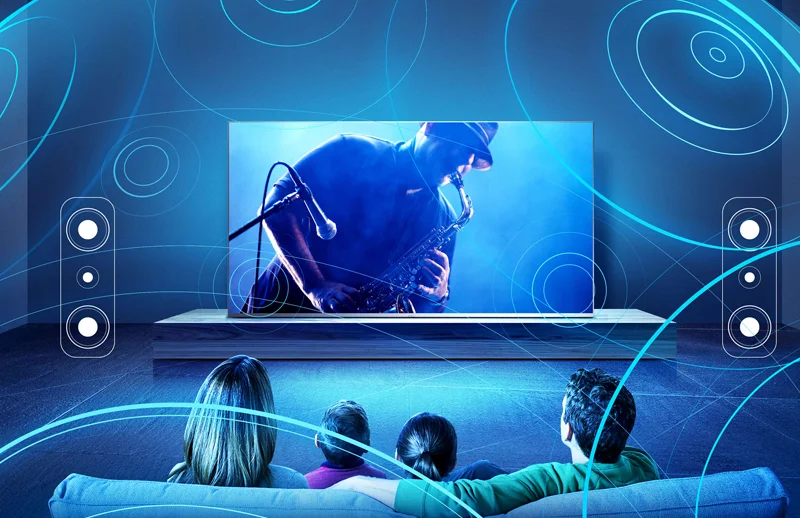
Beam Tweeters
The Bravia 9 features a world-first implementation of Beam Tweeters integrated into the top of the TV. These fire sound upwards, bouncing it off your ceiling to create height effects (Dolby Atmos). When combined with the "Frame Tweeters" on the sides, the soundstage is massive.
Voice Zoom 3
This is a new AI-based feature that detects human dialogue and separates it from background noise. If you are hard of hearing, or if you just hate how Christopher Nolan mixes his movies with loud music and quiet dialogue, Voice Zoom 3 allows you to boost just the voices without ruining the rest of the mix.
Acoustic Center Sync
If you do buy a Sony soundbar (like the Bravia Theater Bar 9 or Quad), you can plug it into the TV using an S-Center cable. The TV speakers then become the "Center Channel," handling dialogue while the soundbar handles the bass and surround effects. It anchors the voices directly to the actors' mouths on screen, rather than having the sound come from a bar near your feet.
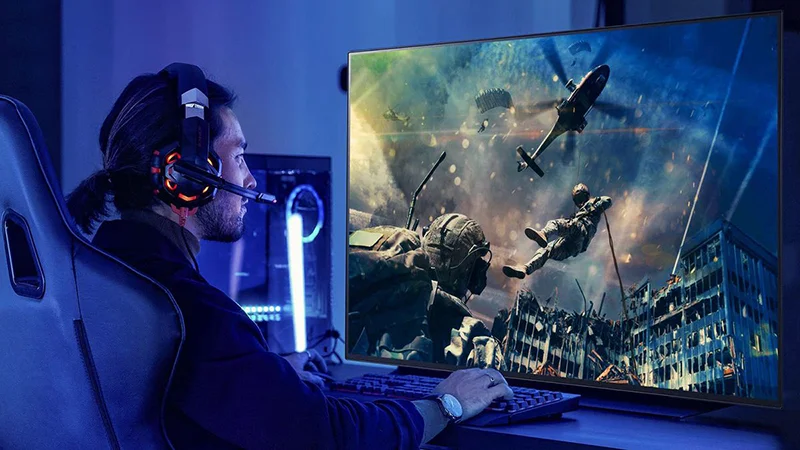
Gaming Features: Perfect for PS5
Sony clearly wants you to pair this with a PlayStation 5, and the integration is seamless.
The Specs
- HDMI 2.1: Ports 3 and 4 support full 48Gbps bandwidth.
- 4K at 120Hz: Smooth, high-frame-rate gaming.
- VRR (Variable Refresh Rate): Eliminates screen tearing.
- ALLM (Auto Low Latency Mode): Automatically switches to Game Mode when you boot up a console.
Exclusive PS5 Features
The TV supports Auto HDR Tone Mapping. When you plug in a PS5, the console detects the Bravia 9 and automatically optimizes the HDR calibration settings. You don't have to fiddle with sliders; the TV tells the PS5 exactly how bright it can get (which, as we established, is very bright), ensuring you see details in the bright clouds of Gran Turismo 7 or the dark caves of Elden Ring.
The Game Menu overlay is also excellent. It allows you to quickly toggle VRR, adjust motion blur reduction, or even add a crosshair to the center of the screen for shooters, all without leaving the game.
Operating System and Smart Features: Google TV and Eco Dashboard
Platform: Google TV
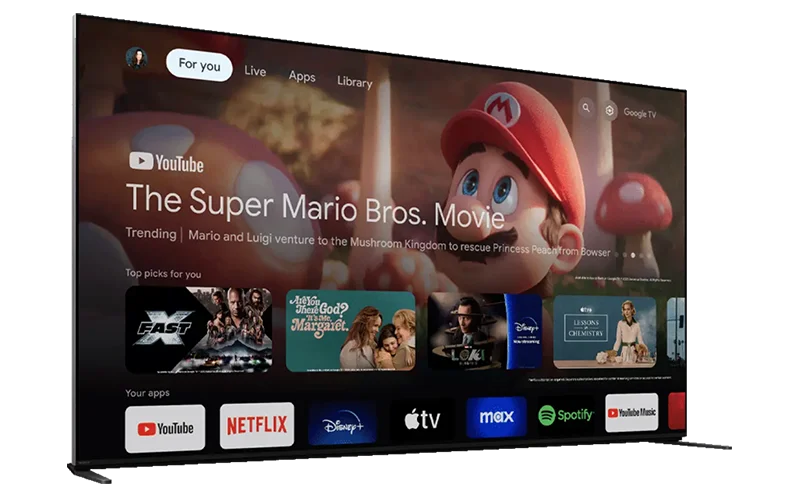
The Bravia 9 runs on Google TV. It is the smoothest, most content-forward operating system available today.
The recommendations are actually useful, aggregating content from Netflix, Disney+, Max, and Prime Video into a single "For You" tab.
The voice search (via Google Assistant) is snappy and accurate.

Sony Pictures Core (formerly Bravia Core)
This is a hidden gem. Sony includes a streaming service exclusive to Bravia owners called Sony Pictures Core. It streams movies at up to 80Mbps—which is essentially 4K Blu-ray quality, significantly higher than Netflix or Apple TV+. If you want to see what this TV can really do, watch a movie on this app.
Eco Dashboard
Power consumption is a concern with high-brightness TVs. The Eco Dashboard puts all energy-saving settings in one place. You can see a graphical representation of how much power your settings are using. The "Ambient Light Sensing" helps here, automatically dimming the TV in dark rooms to save power (and your eyes).
Comparison: Bravia 9 vs. The Competition
Bravia 9 vs. Samsung QN90D / QN95D
Samsung is the other titan of Mini-LED. The Samsung QN95D is an incredible TV and often slightly cheaper. However, Samsung tends to favor "pop" over accuracy.
Samsung TVs often over-brighten the image to make it look impressive on a store shelf. The Bravia 9 is more restrained, prioritizing "Creator Intent."
Also, the Bravia 9 supports Dolby Vision (the most popular HDR format), while Samsung remarkably still refuses to support it. That alone gives Sony the edge for movie lovers.
Bravia 9 vs. LG G5 (OLED)
The LG G5 is the best OLED on the market right now. If you only watch movies in a pitch-black basement, the LG G5’s infinite contrast might still be slightly preferable.
However, the Bravia 9 gets significantly brighter. If you watch sports, news with static banners, or use your TV during the day, the Bravia 9 is the safer and more versatile choice.
It has no risk of burn-in, which is still a minor concern for heavy news/sports watchers on OLED.
Bravia 9 vs. Sony A95L (QD-OLED)
This is the family feud. The A95L is Sony’s flagship OLED. Which is the "best" TV?
- Buy the A95L if: You want the absolute best color purity and perfect blacks, and you can control the lighting in your room perfectly.
- Buy the Bravia 9 if: You want the most impactful HDR experience with blindingly realistic highlights, you watch in a bright room, or you watch a lot of content with static logos (news/sports).
Conclusion: The Verdict
The Sony Bravia 9 is a statement piece. It is Sony slamming a fist on the table and proving that Mini-LED technology has finally matured enough to challenge OLED for the crown of "Best Picture Quality."
It manages to combine the raw, unadulterated power of an LED backlight with the surgical precision of the XR Processor. The result is an image that looks more lifelike than perhaps anything else on the market. When you see sunlight glistening off water on this screen, you don't just see white pixels; you feel the intensity of the light.
Is it expensive? Yes. Is it heavy? Absolutely. But for the enthusiast who wants a display that can handle the rigors of a bright living room without sacrificing the cinematic integrity of a dark room movie night, there is currently no better television on the market.
Pros:
- Class-leading peak brightness (3000+ nits).
- Incredible blooming control via XR Backlight Master Drive.
- Build quality is exceptional; stand is versatile.
- Best-in-class motion processing and upscaling.
- Audio system is genuinely usable without a soundbar.
Cons:
- Viewing angles, while good, are not perfect like OLED.
- Price is high compared to mid-range Mini-LEDs.
- Only two HDMI 2.1 ports (one of which is eARC).
Final Score: 9.5/10

We earn a commission if you make a purchase, at no additional cost to you.