
Best Budget TVs of 2026: 4 Picks Worth Your Money
A budget TV should save you money without making every movie night feel like a compromise. The trick is knowing which compromises you can live with. A bedroom TV does not need the same features as a screen connected to a gaming PC, and a sunny living room changes the shopping list again.
The best budget TVs of 2026 on our shortlist are the TCL QM6K for mixed use and gaming, the Hisense U6SF Pro for movies and bright rooms, the Roku Plus Series Mini-LED for straightforward streaming, and the Roku Select Series 4K for a lower-cost second screen. Each makes sense at the right price. None is the best choice for every room.
This TelevisionCafe guide focuses on U.S. models and uses 55-inch TVs as the price reference. Some picks launched in 2025; a discounted older model can be a better purchase in 2026 than a newer TV with fewer useful features.
Best Budget TVs of 2026 at a Glance
| TV and 55-inch model | Best fit | 4K refresh rate | Smart platform | Buy at or below |
|---|---|---|---|---|
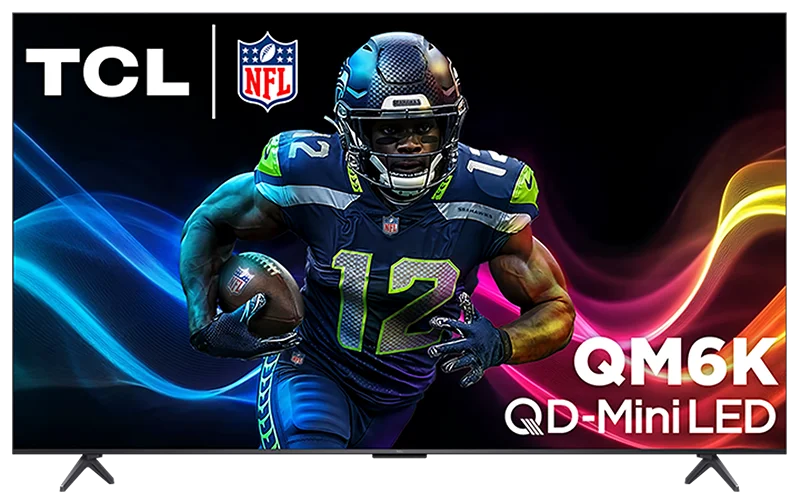
| TCL QM6K 55QM6K (2025) | Mixed use and gaming | Up to 144Hz | Google TV | $500 |
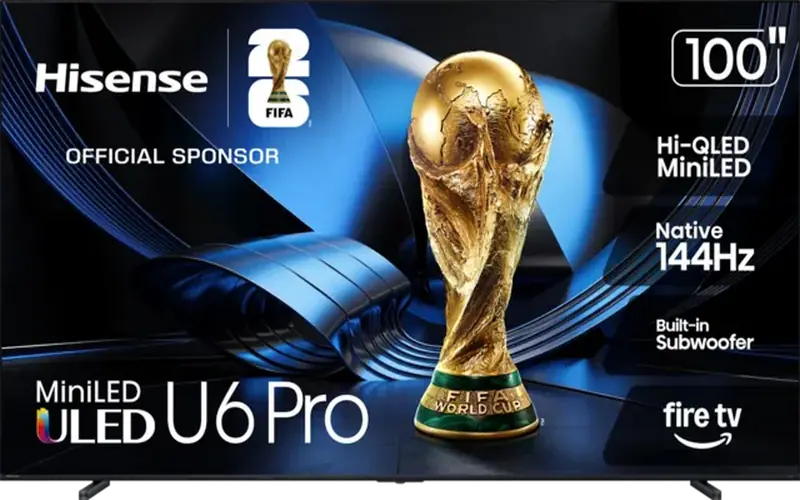
| Hisense U6SF Pro 55U6SF-PRO (2026) | Movies and bright rooms | Up to 144Hz | Fire TV | $550 |
| Roku Plus Series Mini-LED 55R6C7 (2025) | Streaming with local dimming | 60Hz | Roku OS | $400 |
| Roku Select Series 4K 55R4C5 (2025) | A low-cost second TV | 60Hz | Roku OS | $250, when available |
These are buying thresholds, not guaranteed current prices. They apply to new 55-inch units before tax; larger sizes cost more. Model names, specifications and availability can differ by country, size and generation.
Check the model number, not just the series name. This guide recommends the Roku Plus 55R6C7 and Select 55R4C5 specifically. Older Plus models and newer Select QLED models are different products. The Hisense U6SF Pro should not be confused with the regular U6SF.
TCL QM6K: Our Best Budget Pick for Mixed Use and Gaming
Buy it if: you want one affordable TV for streaming, movies and a console or gaming PC. Target price: $500 or less for the 55-inch 55QM6K.
The QM6K earns its place by combining Mini-LED local dimming with useful gaming hardware. It supports 4K at up to 144Hz, variable refresh rate, and both Dolby Vision and HDR10+. Google TV handles the streaming side.
The gaming appeal is straightforward: compatible consoles can use 4K at 120Hz, while a suitably equipped PC can go up to 144Hz. Two of its four HDMI inputs support those high-refresh-rate signals, so check which ports you use before connecting everything.
Independent testing found low input lag and good black levels, but modest HDR brightness. You can also see halos around bright objects against dark backgrounds, and some fast movement leaves visible trails. This is a capable budget gaming TV, with limits you should expect at this price.
If gaming barely features in your week, the Hisense below deserves a closer look. If gaming is a regular part of your evening, the TCL is our preferred starting point.
Read our TCL QM6K review for more detail, or see what 60Hz, 120Hz and 144Hz actually mean before paying extra for a higher refresh rate.
Hisense U6SF Pro: Our Budget Pick for Movies and Bright Rooms
Buy it if: daytime visibility and movie picture quality matter more than fast-action clarity. Target price: $550 or less for the 55-inch 55U6SF-PRO.
The 2026 U6SF Pro combines Mini-LED local dimming, a matte screen coating and Fire TV. Those features make it an interesting option for a main living-room screen, especially when you watch with the curtains open.
Independent testing of the 65-inch version found strong brightness, effective reflection handling and excellent contrast. It also identified a substantial weakness: slow pixel response makes fast action look blurry. Off-center viewing and screen uniformity are other compromises to consider; results can vary between individual units and sizes.
That changes the recommendation. The U6SF Pro supports 4K at up to 144Hz, but that number does not make it our first choice for racing games, shooters or sports. For movies, documentaries and everyday shows, its strengths are more useful.
A higher refresh rate does not guarantee clearer motion. Refresh rate describes how often a screen can update. Pixel response describes how quickly pixels change. A TV can accept 144Hz and still show distracting blur.
Choose this Hisense for its picture and room suitability. Choose the QM6K if fast-action gaming is the bigger priority.
For a closer look at the strengths and compromises, read our Hisense U6SF Pro review. Already own one? Our U6SF Pro picture settings guide will help you set up SDR, HDR, Dolby Vision, and gaming.
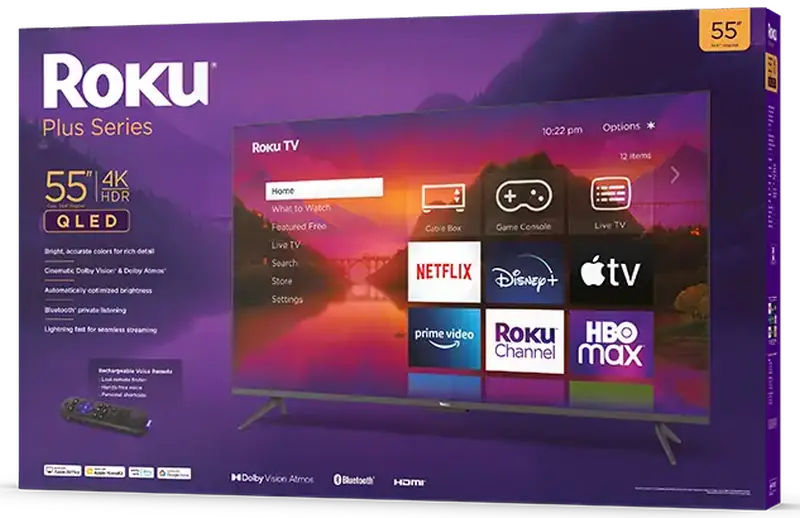
Roku Plus Series Mini-LED: Our Pick for Straightforward Streaming
Buy it if: you want an affordable streaming TV with local dimming and prefer Roku's interface. Target price: $400 or less for the 55-inch 55R6C7.
The 2025 Plus Series 55R6C7 brings Mini-LED full-array local dimming, a QLED screen, Dolby Vision and HDR10+ to a lower price bracket. Roku OS is the other reason to consider it: if you already enjoy Roku's app layout, this lets you keep that familiar experience.
The included enhanced voice remote has a lost-remote finder. It is a small feature, but finding the remote quickly can matter more in daily use than another picture-processing acronym.
The trade-off is a 60Hz panel. This model supports variable refresh rate, but it cannot display 4K games at 120 frames per second. That makes it a more natural fit for streaming and casual gaming than for buyers trying to use every high-frame-rate mode on their console.
Local dimming is a worthwhile feature to look for, although its presence alone does not tell you how well a TV controls blooming or reproduces dark scenes. We are recommending this exact model for its feature-and-price combination, rather than borrowing test results from a different Roku Plus generation.
If the Plus costs almost as much as the QM6K, compare the TCL before buying. If it is comfortably cheaper and Roku suits you, the Plus has a clear purpose.
Roku Select Series 4K: A Low-Cost Pick for a Bedroom or Second Room
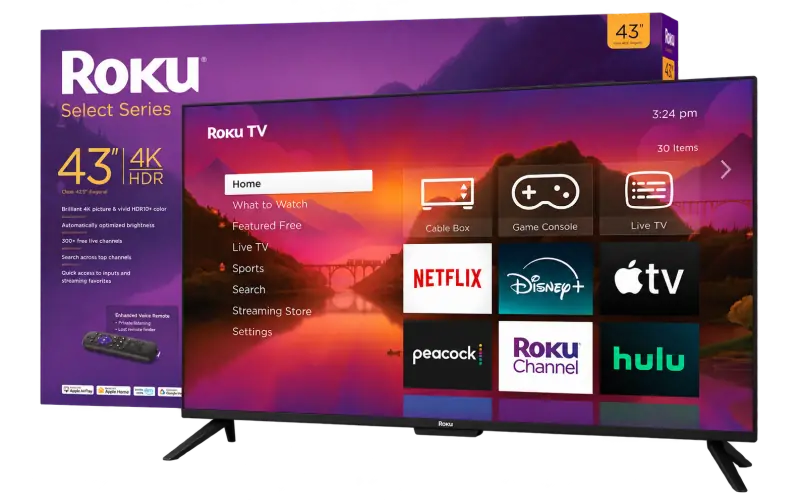
Buy it if: keeping the total cost down matters more than advanced picture features. Target price: $250 or less for a new 55-inch 55R4C5, while stock is available.
The 2025 Select Series 4K has a simpler job: give you a large 4K screen and Roku streaming without stretching the budget. Its direct-lit LED panel runs at 60Hz and does not offer local dimming. This recommendation is for the standard 55R4C5, rather than a different Select QLED model.
A guest room, bedroom or apartment's second screen is a sensible home for it. There is little reason to pay for advanced gaming features if that TV will mostly play sitcoms, news and the occasional movie.
For the main movie-watching screen, compare the cost of moving up to the Plus Series. Its local-dimming hardware and Dolby Vision support make that upgrade worth considering when the price gap is small. For a second room, keeping the extra money may be the better decision.
Availability is the catch with an older clearance model. Skip overpriced remaining stock, and compare the exact specifications of any replacement offered by the retailer. The cheapest listing is only useful if the product is actually in stock and comes with a reasonable return policy.
Two More Budget TVs Worth Buying at the Right Price
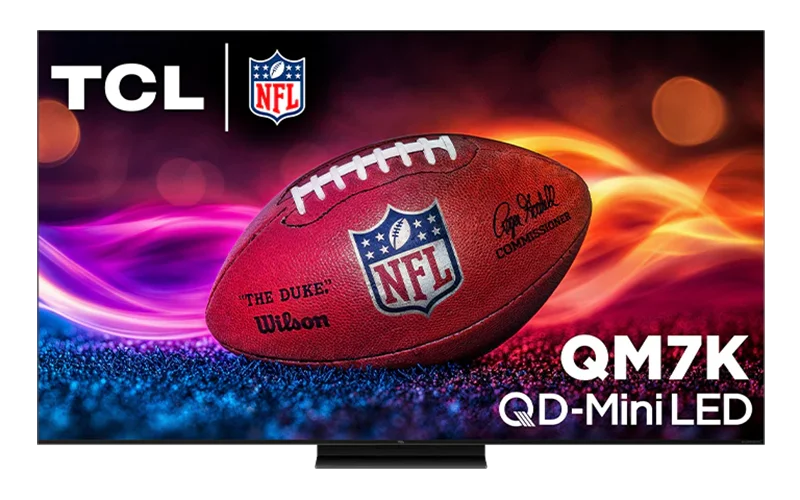
TCL QM7K (2025): The Budget Upgrade Worth Considering
Buy it if: you can stretch the budget for a better movie and HDR experience. When it makes sense: the QM7K costs roughly $100–150 more than the QM6K in the same screen size, with both sold new under comparable terms.
The QM7K gives you a good reason to spend a little more. Independent comparisons found higher brightness, stronger contrast and richer colors than the QM6K. Those improvements are useful for movie nights, where bright highlights and dark scenes ask more of the screen.
You also keep the features that make TCL's affordable Mini-LED models interesting for gamers: 4K at up to 144Hz, variable refresh rate and Google TV. Dolby Vision and HDR10+ are supported, too.
There are still compromises. Blooming can appear around bright objects, direct window reflections remain a concern, and HDR color accuracy is weaker than on the QM6K. The upgrade buys a more impressive picture overall, rather than an improvement in every measurement.
Compare the price gap, not the discount badge. A modest premium over the QM6K makes the QM7K attractive. If remaining 2025 stock becomes expensive, compare newer alternatives before buying.
The QM7K belongs on this list as a budget upgrade for buyers who care about picture quality and find a competitive deal. Check the exact size and availability; a low advertised price for one version does not apply to the entire series.
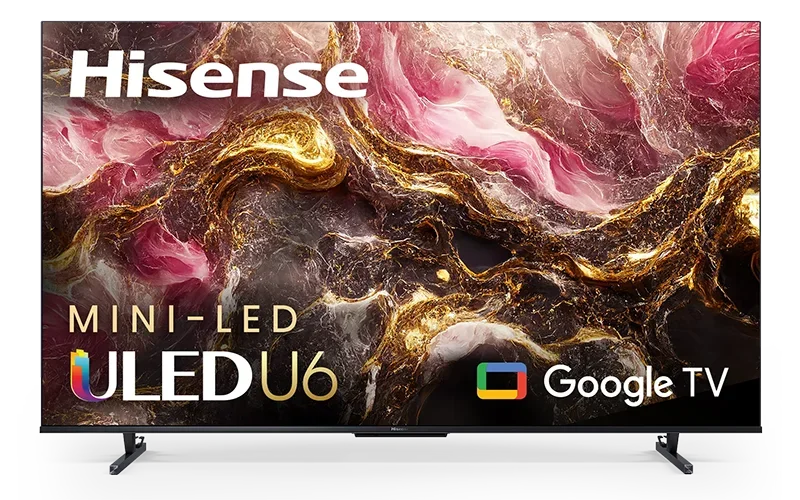
Hisense U65QF (2025): A Previous-Year Deal Worth Checking
Buy it if: you find a discounted Mini-LED TV and want to compare an older model with the newer U6SF Pro. When it makes sense: its price is clearly below the QM6K or U6SF Pro in the same screen size.
The U65QF still has useful hardware for an affordable main TV: Mini-LED local dimming, 4K at up to 144Hz, variable refresh rate, Dolby Vision and HDR10+. It runs Amazon Fire TV.
Its most interesting advantage over the U6SF Pro is motion. Independent comparisons found that the older U65QF displays sports and games with considerably less blur. It still has motion limitations of its own, but replacing it with the newer Hisense is not automatically a better choice for fast-action viewing.
The U6SF Pro has advantages elsewhere, including greater brightness and more effective local dimming. The U65QF also tends to make HDR scenes brighter than intended, so viewers who value accurate movie reproduction should weigh that compromise.
Check the size-specific model. The 75-inch U65QF uses a different panel type from the 55- and 65-inch versions. Picture-performance findings for one size should not be applied blindly to another.
Keep the U65QF on your shortlist when clearance pricing gives it a clear value advantage. For gaming, compare it with the QM6K as well. If the price has risen because stock is scarce, the older model loses much of its appeal.
How We Chose These Budget TVs
This is a research-based buying guide. We compared manufacturer specifications, U.S. pricing and independently published measurements where available. We have not performed hands-on testing of every TV listed here.
Our priorities are practical: a useful picture upgrade for the money, suitability for the room, relevant gaming features and an identifiable model number. Independent measurements inform the TCL and Hisense performance discussions. The Roku recommendations emphasize documented hardware, streaming features and price.
We also separate launch year from shopping year. A 2025 TV can remain a strong purchase in 2026, provided the price is competitive and the exact model is still available. Newer branding earns no automatic place on the list.
What Matters Most When Buying a Budget TV?
Choose the Size Before Comparing Features
A sharper-looking 55-inch TV may disappoint if it feels tiny from your sofa. Equally, a huge bargain screen is less appealing if you sit close enough to notice every compression artifact. Start with your seating distance, room layout and the programs you watch.
Our TV size guide can help narrow the choice. If you need a larger main screen, compare our 65-inch TVs under $1,000 rather than applying these 55-inch price targets to a different size.
Look Beyond the HDR Logo
HDR compatibility means a TV accepts an HDR format. Convincing HDR also needs sufficient brightness, contrast and color capability. A low-cost TV can play an HDR movie without delivering much more visual impact than its ordinary picture mode.
QLED and Mini-LED describe different things. QLED usually refers to quantum-dot color technology; Mini-LED describes the backlight. A TV can use both, and a QLED label by itself does not promise local dimming or strong HDR.
Match Refresh Rate to Your Gaming Habits
For ordinary streaming and casual gaming, 60Hz can be enough. If you want supported console games at 120 frames per second, check for 4K 120Hz input support, suitable HDMI ports and VRR. A 144Hz mode is mainly an extra option for a compatible PC; it does not turn 60fps content into native 144fps footage.
Think About Windows and Seating
Direct window reflections can ruin an otherwise enjoyable screen. Consider where sunlight falls during your usual viewing hours, and whether people sit far to either side. Try watching from those positions before committing to a TV.
Keep the Smart Platform in Perspective
Google TV, Fire TV and Roku OS organize entertainment differently. Choose an interface you like, but remember that an external streaming player can change your app experience later. It cannot upgrade the TV's panel, backlight or viewing angles.
How to Tell Whether a Budget TV Deal Is Actually Good
Compare the exact model and screen size against competing TVs at today's selling prices. A large discount from an inflated reference price tells you much less than the cost of buying a better model.
- Check the seller and condition. A marketplace, open-box or refurbished offer is not the same purchase as a new unit sold by an authorized retailer.
- Read the return terms. Confirm the return window, any fees and how a large TV would be collected or shipped.
- Check the stand and connections. Make sure the feet fit your furniture and the TV has enough inputs for your equipment.
- Compare the next model up. A small price gap can buy a useful improvement; a bigger screen alone does not guarantee one.
Our guide to the best time to buy a TV explains the sales cycle. If a TV meets your needs at a competitive price, you do not have to wait for a particular holiday to make a sensible purchase.
Which Budget TV Should You Buy?
Start with the TCL QM6K if you want a versatile TV and regularly play games. Its high-refresh-rate support is useful, although you should keep expectations realistic for HDR.
Choose the Hisense U6SF Pro if movies and daytime viewing lead the list. Its motion weakness is the reason we would steer fast-action gamers elsewhere.
Choose the Roku Plus 55R6C7 if you want Roku streaming with local dimming at a lower price. Choose the Select 55R4C5 if the TV is for a second room and a clearance deal keeps the cost down.
The best bargain is the TV that fits your room and habits at a competitive price. Decide those first, then use the model numbers and buying thresholds above to narrow the search. If you are still working out the basics, start with our TV buying guide.
Budget TV FAQs
What is the best budget TV for gaming in 2026?
The TCL QM6K is our gaming pick on this shortlist. It supports 4K at 120Hz for compatible consoles and up to 144Hz for compatible PCs, along with VRR. Check the exact HDMI input and the game's supported modes.
Is a 60Hz TV good enough for everyday viewing?
Yes. A 60Hz TV can be a sensible choice for streaming, news and casual gaming. It cannot display native 120fps games. Movie motion also depends on how the TV handles 24fps content, rather than refresh rate alone.
Are budget Mini-LED TVs worth buying?
They can be. Local dimming gives the backlight more control over different parts of the picture, but brightness, blooming, motion and processing still vary between models. Compare performance and price rather than treating Mini-LED as a quality guarantee.
Which budget TV should I consider for a bright room?
The Hisense U6SF Pro is our bright-room pick here because of its brightness and matte screen coating. Its slow pixel response makes it a less attractive choice if fast sports or games are your main priority.
How much should I spend on a budget 55-inch TV?
For this shortlist, our buying targets range from $250 for the Roku Select 55R4C5 on clearance to $550 for the Hisense U6SF Pro. These are editorial thresholds for new U.S. units before tax, not guaranteed live prices.
Should I buy a 2025 TV during 2026?
Yes, if its features suit you and its price compares well with newer alternatives. Check the full model number, availability, condition, warranty and return terms. Launch year alone is a poor way to judge value.