
TCL QM6K Review: Is This Budget Mini-LED Still Worth It?
The TCL QM6K makes a persuasive case for spending a little more than the bare minimum on a TV. You get Mini-LED local dimming, a native 144Hz panel, and support for both Dolby Vision and HDR10+. Those are useful upgrades for a living room that switches between movies, streaming, and games.
Originally released in 2025, the QM6K is worth another look in 2026 as discounted stock competes with newer models. Its appeal depends on the deal: a lower price can make its compromises easier to accept, while a small gap to a better TV changes the calculation.
This TelevisionCafe review explains where the QM6K earns its place, what the specifications leave out, and when you should spend more.
TCL QM6K Review: The Quick Verdict
The TCL QM6K is a compelling budget Mini-LED TV when the discount is substantial. It offers a useful mix of movie and gaming features without pushing the price into premium territory. Buy it for a sensible all-purpose setup; compare higher-tier models if impressive HDR is your main reason for upgrading.
For a shortlist of alternatives at different price points, see our best budget TVs of 2026.
TCL QM6K Specs at a Glance
| Model year | 2025 |
|---|---|
| Display | 4K LCD with quantum dots and Mini-LED local dimming |
| Panel technology | HVA, a type of VA LCD panel |
| Native refresh rate | 144Hz |
| Screen sizes | 50, 55, 65, 75, 85, and 98 inches |
| HDR formats | Dolby Vision IQ, HDR10+, HDR10, and HLG |
| Smart TV platform | Google TV |
| HDMI connections | Four total: two support 4K at up to 144Hz; the other two support 4K at up to 60Hz |
| Audio return channel | eARC on HDMI 4, separate from the two high-refresh inputs |
| Gaming features | VRR, auto low-latency mode, and a dedicated game settings overlay |
Screen Sizes: The QM6K Is Not Identical in Every Size
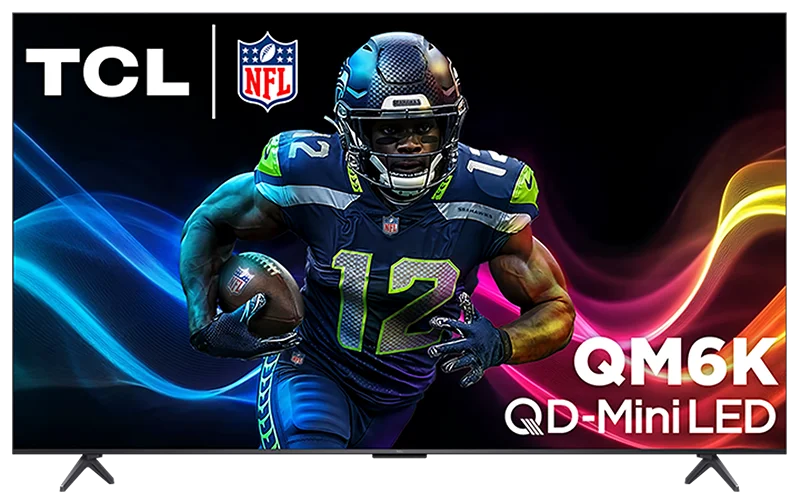
Screen size affects more than the space this TV occupies. On the standard US QM6K, the screen finish changes with size:
| Screen size | Screen finish |
|---|---|
| 50, 55, 65, and 75 inches | Glossy |
| 85 and 98 inches | Matte anti-reflective coating |
Read “up to 500 dimming zones” carefully. That is a series maximum, not the specification for every QM6K. RTINGS counted 312 zones on its tested 75-inch unit. A larger advertised number should never be assigned to the entire range.
This review covers the standard QM6K. Retailer and regional variants can have different screen coatings, so check the exact model number before ordering. Our TV size guide can help you choose a size that suits your viewing distance.
Picture Quality: Good Contrast, With Visible Limits
The QM6K's Mini-LED backlight can adjust separate areas of the screen. That gives it a practical advantage over inexpensive LCD TVs without local dimming: a dark background can stay darker while a nearby lamp or bright face remains illuminated.
Independent testing finds good black levels, but also visible blooming around bright objects. Subtitles against a dark background are a useful example of where this compromise can show up.
A dimming zone lights many pixels at once. When a small bright object shares a zone with darkness, the TV has to balance the two. TCL's Halo Control branding does not change that basic limitation.
For buyers coming from a basic LED TV, local dimming is a meaningful reason to consider the QM6K. For someone expecting individually controlled pixels, our OLED vs. Mini-LED guide explains why the technologies behave differently.
HDR Performance: Attractive Color, Modest Highlight Punch
Supporting an HDR format and delivering spectacular HDR are separate things. The QM6K can play Dolby Vision and HDR10+ content, but the screen's light output still determines how much impact a bright reflection, firework, or sunlit cloud can have.
Tom's Guide measured approximately 695 nits of HDR brightness on a 10% test window with its 55-inch sample. It also reported approximately 94.7% P3 color-gamut coverage. Those are useful reference points, rather than guaranteed figures for every size, mode, or scene.
Our assessment: the QM6K is better approached as an affordable TV with enjoyable HDR than as a showcase for extreme highlights. Spending more becomes easier to justify if the dramatic sparkle of HDR is what you want most.
Choose a restrained picture preset before deciding whether a movie looks right. Excessive saturation can make a picture look lively in a store and unnatural at home. If dark scenes remain difficult to watch, our guide to why HDR looks dark on a TV explains the common causes.
Bright Rooms and Viewing Angles: Placement Matters
The smaller glossy QM6K sizes deserve some planning around windows and lamps. Tom's Guide found its 55-inch sample usable in a room with plenty of natural light, but brightness does not make a direct reflection disappear.
Put the screen where a window is unlikely to be reflected across the picture. Watch from your usual seat before judging whether the room needs blinds or a different lighting arrangement.
Off-center viewing is another compromise: the picture loses quality at wider angles. We would favor the QM6K for seating mostly in front of the screen and investigate alternatives for a broad sectional sofa.
The larger models' matte coating changes reflection behavior, but it is not a reason to buy a screen that overwhelms your room. Choose the right size first, then assess its finish.
Sports and Motion: What to Expect
A high refresh rate is useful, but it cannot promise a perfectly sharp moving picture. Pixel response, the source frame rate, and motion processing all contribute to what you see.
RTINGS reports decent pixel transitions at higher refresh rates, with more limitations at 60Hz. Some trailing and transition artifacts remain. The QM6K should therefore be assessed as a capable budget gaming and sports option, rather than assumed blur-free from its specifications.
For movies, start with motion interpolation disabled. If slow camera pans bother you, try a small amount and check whether the smoother movement looks natural to you. Strong settings can introduce artifacts and make films resemble live television.
For sports, also check the stream itself. A low-quality feed can lose fine detail before the signal reaches the TV. Read our 60Hz vs. 120Hz vs. 144Hz guide for a fuller explanation of refresh rates.
Gaming: 4K 120Hz for Consoles, 144Hz for a Compatible PC
Gaming is one of the strongest reasons to put the QM6K on your shortlist. Its two high-refresh HDMI inputs support 4K at up to 144Hz, while VRR can help reduce tearing as the game frame rate changes.
TechRadar's reviewer played several PS5 games and reported smooth gameplay, along with automatic switching into Game Mode. The dedicated game overlay also makes relevant settings easier to reach.
For console use, the practical target is 4K at up to 120Hz in supported games. A compatible PC can use the additional refresh-rate headroom, provided its graphics hardware and connection support the selected mode.
The 288Hz claim is a lower-resolution mode. Published testing reports support for up to 1080p at 288Hz. The QM6K does not deliver 4K at 288Hz, and enabling this mode does not make a game generate more frames.
Use the high-refresh HDMI inputs for your console or PC and enable Game Mode. Check the device's video-output information afterward: owning a 144Hz TV does not mean every game is running at 144 frames per second.
Google TV, Remote, and Everyday Use
The QM6K uses Google TV for streaming apps, content recommendations, and voice features. TechRadar found the interface and settings straightforward to navigate, which matters when a television is shared by several people.
The supplied backlit voice remote is a welcome convenience for evening viewing. The TV's narrow borders also help keep attention on the screen without demanding a particular room style.
During setup, arrange your most-used apps where they are easy to reach and review the privacy options. App availability, subscriptions, and streaming quality still depend on your region and services.
Before buying furniture or a wall mount, check the dimensions and mounting specifications for your chosen size. A product photograph cannot tell you whether the feet fit your cabinet or leave enough room for a soundbar.

Sound and Connections: Keep Some Budget for Audio
The Onkyo branding deserves realistic expectations. Tom's Guide found the 55-inch model's 2.1-channel system fuller than many basic TV speakers, but noted limited low-end output and occasionally thin dialogue. TechRadar was less enthusiastic about the sound on its 65-inch sample.
One size difference is worth knowing: TCL's user guide states that the 50-inch model has no rear subwoofer. Do not assume the speaker arrangement is identical across the range.
We would budget for an external audio system if movies and music are a priority. Dolby Atmos support describes compatibility and processing; it does not tell you that the built-in speakers can reproduce a convincing overhead sound field.
Connect a compatible soundbar or receiver to HDMI 4 for eARC. Because that connection is separate from the two high-refresh inputs, you can keep both available for gaming devices. If audio fails to pass through correctly, see our HDMI ARC and eARC troubleshooting guide.
Picture Setup: A Sensible Starting Point
TCL's menu provides Movie and Filmmaker presets, along with controls for local contrast, brightness, and motion. The available options depend on the signal and picture mode.
- Start with Movie or Filmmaker Mode: compare these with the default preset using familiar content.
- Adjust screen brightness for the room: avoid using Black Level as a substitute for overall light output.
- Check local dimming with real scenes: look at subtitles, dark clothing, and faces rather than judging only a bright demo.
- Keep movie motion processing restrained: add smoothing only if you prefer the result.
- Use Game Mode for gaming: confirm the expected resolution and refresh rate on the connected device.
Recheck SDR, HDR, and Dolby Vision separately. These are starting suggestions, not a calibration. Copying another owner's white-balance values can make your individual panel less accurate.
Ready to fine-tune your TV? Our TCL QM6K picture settings guide covers recommended starting values for SDR and HDR, Dolby Vision modes, motion controls, and gaming setup, with practical adjustments for your room.
Is the TCL QM6K Worth Buying in 2026?
Yes, if the price leaves a meaningful gap to a better same-size TV. We would view a new 55-inch QM6K below $500 as an attractive starting point for comparison, rather than a universal buy signal. Larger sizes need their own price checks.
The TCL QM7K is the obvious step-up comparison. RTINGS finds it brighter, with better contrast and a wider color performance advantage. If it costs only a little more in your chosen size, that picture upgrade deserves serious consideration.
As an editorial rule of thumb, we would investigate the QM7K closely if the premium is around 20% or less. That is a buying guideline, not a claim that picture quality scales directly with price. A larger price gap can make the QM6K the more sensible purchase.
Also compare the Hisense U6SF Pro if brighter HDR and reflection handling are priorities. Independent testing found stronger picture performance than the QM6K, but motion blur is a significant trade-off for sports and fast-paced games. Compare the same screen size and current price before choosing.
For a closer look at the differences, read our TCL QM6K vs Hisense U6SF Pro comparison.
For newer alternatives, use our budget TV buying guide and compare the needs each model serves. Keep the size, seller, warranty, and condition consistent; a refurbished offer is a different proposition from a new TV.
Our recommendation is strongest for someone upgrading an older basic television and splitting time between streaming and games. Buyers chasing a striking HDR showcase, wide seating coverage, or substantial built-in sound have better reasons to raise their budget.
TCL QM6K FAQ
Is the TCL QM6K a 2025 or 2026 TV?
It is a 2025 model. Buying it in 2026 does not change its model year; its appeal depends on the discount and competing offers.
Is the TCL QM6K a native 144Hz TV?
Yes. The US QM6K has a native 144Hz panel and supports up to 4K 144Hz through its two high-refresh HDMI inputs with a compatible source.
Can the QM6K display 4K at 288Hz?
No. The reported 288Hz mode uses 1080p resolution. At 4K, its maximum supported refresh rate is 144Hz.
Does every QM6K have 500 local dimming zones?
No. TCL advertises up to 500 zones across the series. The count varies by size.
Does the TCL QM6K support Dolby Vision and HDR10+?
Yes. It supports both, alongside HDR10 and HLG. Format compatibility alone does not determine HDR picture quality.
Which HDMI port should I use for a soundbar?
Use HDMI 4, labeled ARC/eARC, for a compatible soundbar or receiver. This leaves the two high-refresh HDMI inputs available for gaming devices.
Should I buy the QM6K or pay more for the QM7K?
Choose the QM6K when the saving matters more than the picture upgrade. Compare the QM7K when the price gap is small, especially if HDR movies are your priority.