
Samsung TVs: Lineups, Models, Reviews & Buying Guides
TV reviews. Your screen. Our expertise
Samsung's TV range covers very different jobs: an OLED for movie nights, a large LCD for the family room, an art display that blends into the wall, or a basic 4K screen for a bedroom. Choosing the right family matters more than buying the newest Samsung badge.
Start with OLED if dark-scene contrast is your priority, compare Neo QLED and Micro RGB for a main LCD television, and look at Crystal UHD when keeping the cost down comes first. Within each family, screen size, reflection handling, gaming support, and the actual selling price can change the recommendation.
This TelevisionCafe guide brings together Samsung TV reviews, comparisons, picture settings, setup help, and the 2026 U.S. lineup. Use the article sections below for a closer look at a particular model or problem.
Samsung TV Strengths and Drawbacks
Reasons to Consider Samsung
- A broad choice of displays: Samsung sells OLED and several LCD families, so you can compare different technologies without changing smart-TV platforms.
- Useful glare-control options: Selected models have Samsung's matte Glare Free treatment. RTINGS found reflection handling particularly effective on its 65-inch S90H; that result doesn't apply to every Samsung television.
- Well-equipped gaming models: The S95H and S90H support up to 4K/165Hz with a compatible PC, while the QN80H supports up to 4K/144Hz. Check the exact model rather than treating Gaming Hub or Game Bar as proof of high-refresh hardware.
- Installation and audio choices: The Frame family, selected One Connect designs, and compatible Q-Symphony sound systems give you options beyond a conventional TV on a stand.
What Deserves a Closer Look
- No Dolby Vision: Samsung's current TVs use formats such as HDR10 and HDR10+ instead. Dolby Atmos audio support doesn't change that video-format limitation.
- Very different hardware under similar labels: Mini LED doesn't guarantee local dimming, and Neo QLED doesn't guarantee 4K/120Hz input.
- Room-dependent compromises: OLED needs consideration for repeated static graphics; LCD buyers should check blooming, viewing angles, and reflection tests for their chosen model.
- Extra costs and account requirements: Some smart features require a Samsung account, while premium artwork, optional bezels, and selected connection accessories can cost extra.
From a 12-Inch TV to Micro RGB
Samsung Electronics was established in 1969, and its first television followed in 1970: a 12-inch black-and-white set. Today's range spans compact screens, OLEDs, art-focused televisions, and LCDs large enough to make delivery access part of the buying decision.
Samsung says it led the global TV market for 20 consecutive years through 2025, citing Omdia. That describes market leadership, not a guarantee that every Samsung model is the strongest purchase at its price.
One naming detail is especially useful: Micro RGB and MicroLED are different technologies. Samsung's Micro RGB televisions use red, green, and blue backlights behind an LCD panel. A self-emitting MicroLED display creates the image with the LEDs themselves, so the two names shouldn't be used interchangeably.
Samsung TV Reviews
Explore individual Samsung TVs with a closer look at picture quality, gaming, smart features, and the compromises behind the model number.
Start with the screen size you're considering, then check how that version fits your room and budget.
Samsung M70H Review: What Does Budget Mini LED Get You?
Our Samsung M70H review explains its missing local dimming, 60Hz panel, DLG 120Hz claims, smart features, and when this budget TV makes sense.
Samsung S90H Review (2026): Great OLED, but Size Matters
Is the Samsung S90H worth buying? Explore its Glare Free display, 165Hz gaming, OLED panel differences by size, and key trade-offs before you buy
Samsung S95H OLED Review (2026): The OLED TV to Beat?
Read our Samsung S95H OLED review for an in-depth look at picture quality, brightness, gaming, smart features, sound, and whether it is worth buying.
Samsung S95F: The Glare-Free King of the QD-OLED Era
Read our Samsung S95F OLED review for an in-depth look at picture quality, brightness, glare handling, gaming, smart features, sound, and overall value.
Samsung TV Comparisons
Compare Samsung models with each other and with alternatives from LG, Sony, TCL, and Hisense.
These guides focus on differences that can affect your purchase, including HDR formats, reflections, gaming connections, screen size, and the price gap.
LG C5 vs Samsung S90H: Which OLED Is the Better Buy?
LG C5 or Samsung S90H? Compare glare, Dolby Vision, gaming, screen sizes, and price to find the OLED that makes more sense for your room and budget.
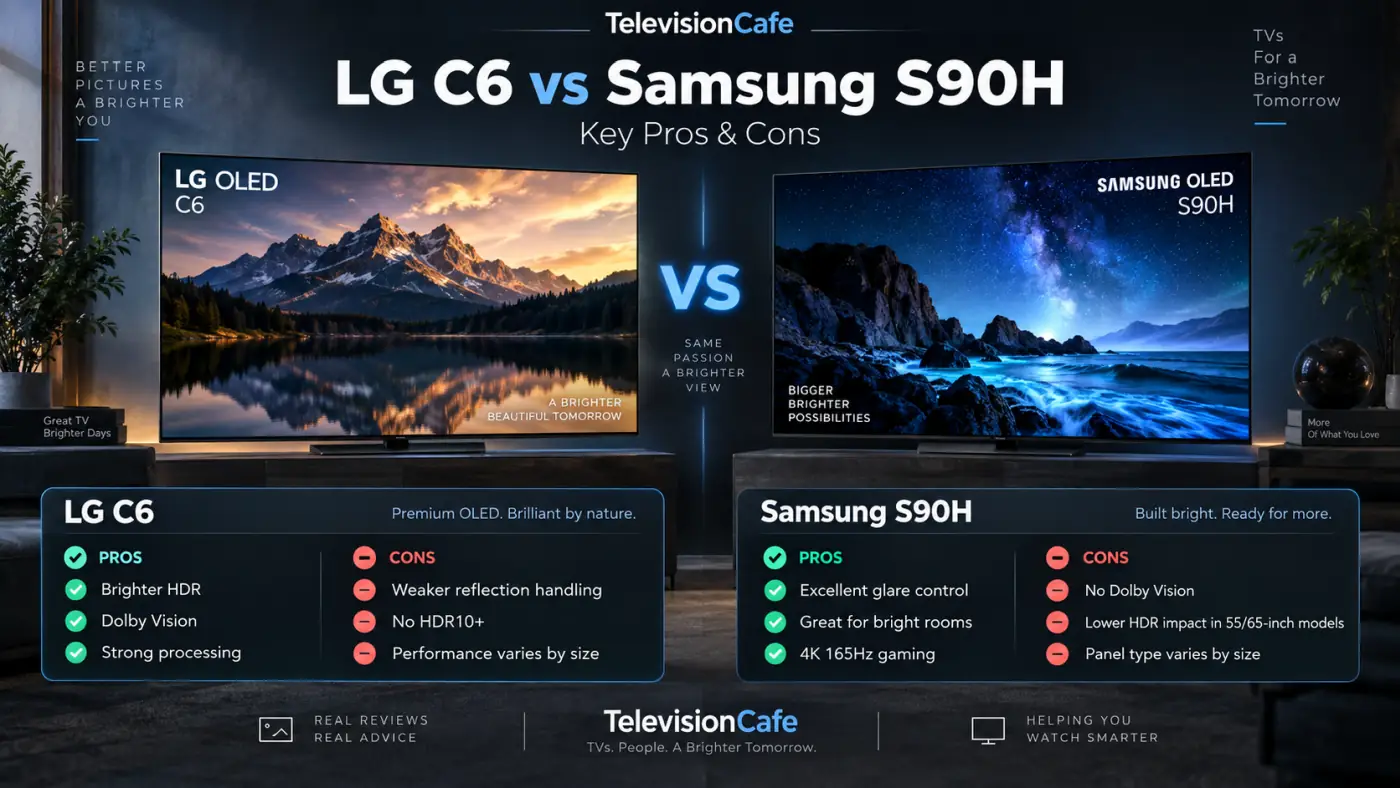
LG C6 vs Samsung S90H: Which OLED TV Is Better in 2026?
LG C6 vs Samsung S90H compared for picture quality, HDR, gaming, bright-room performance, smart features and value. See which 2026 OLED fits you best.
LG G6 vs Samsung S95H: Which OLED TV Wins in 2026?
LG G6 vs Samsung S95H compared for picture quality, HDR, gaming, bright rooms and smart features. See which flagship OLED is better in 2026.
Samsung TV Best Picture Settings
Find practical starting settings for Samsung TVs, organized around SDR, HDR, movies, sports, and gaming.
Match the guide to your exact model and firmware, and avoid copying another panel's white-balance adjustments as if they were a calibration for yours.
Filmmaker Mode vs Movie Mode: Which Should You Use?
Filmmaker Mode or Movie Mode? Learn what changes, why the picture can look dark or warm, and which TV setting to use for movies, HDR, and gaming.
Samsung S90H Best Picture Settings: SDR, HDR & Gaming
Get a better Samsung S90H picture with recommended SDR, HDR and gaming settings, plus practical fixes for dim scenes, odd colors and overly smooth motion.
Samsung Accessories & Remotes
Find help choosing replacement remotes, wall mounts, HDMI cables, and other accessories for your Samsung setup.
Check the full TV model code before ordering, especially for SolarCell remotes, One Connect equipment, and frames designed for a specific generation.

Samsung TV Setup & Troubleshooting
Work through picture, sound, HDMI, remote, and streaming problems with checks that help identify the cause before you replace anything.
Find guidance for issues such as missing sound, lip sync, dim HDR, and connections that stop working after standby.
TV Dialogue Too Quiet? How to Hear Voices Clearly
TV dialogue too quiet while music and effects are too loud? Try these sound settings, streaming fixes, and soundbar adjustments for clearer voices.

TV Audio Delay: Fix Lip Sync Problems Step by Step
Fix TV audio delay and lip sync problems with clear steps for soundbars, HDMI ARC/eARC, Bluetooth, and streaming apps. Learn which settings to change
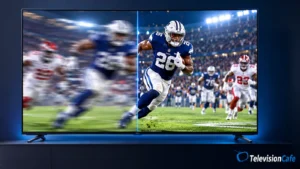
TV Motion Blur: Why Sports Look Blurry and 7 Fixes
Sports look blurry on your TV? Learn what causes motion blur, which settings to change, and how to tell a weak broadcast from a slow TV panel
Samsung Soundbars
Compare Samsung soundbars by dialogue clarity, bass, surround speakers, connections, and the space available beneath your TV.
Check Q-Symphony compatibility separately, and choose the speaker package around your room rather than assuming a matching brand is always the best fit.
Samsung HW-Q800F Black Friday Deal: Save $562 at Amazon
Samsung HW-Q800F is $537.99 in this Amazon offer—$562 below List Price. See what’s included, Dolby Atmos features, and the key limits before buying.
Best Soundbars Under $300: What’s Worth Buying in 2026?
Find the best soundbars under $300 in 2026 for dialogue, movies, and small rooms. Compare four U.S. picks, connections, and the trade-offs that matter.
Samsung TV Buying Guides
Find Samsung TVs in buying guides built around screen size, room lighting, budget, sports, and gaming.
Compare the recommended models with other brands and discounted older televisions before deciding which features are worth paying for.
Best TVs for Watching Sports in 2026: 4 Smart Picks
Find the best TVs for watching sports in 2026. Compare motion, glare, viewing angles, and broadcast quality across four LG, Samsung, Hisense, and TCL picks.
Best TVs for Bright Rooms in 2026: 6 Picks That Beat Glare
Find the best TVs for bright rooms in 2026. Compare Sony, Samsung, LG, and Hisense for glare control, daytime brightness, viewing angles, and value.

Samsung 2026 TV Lineup
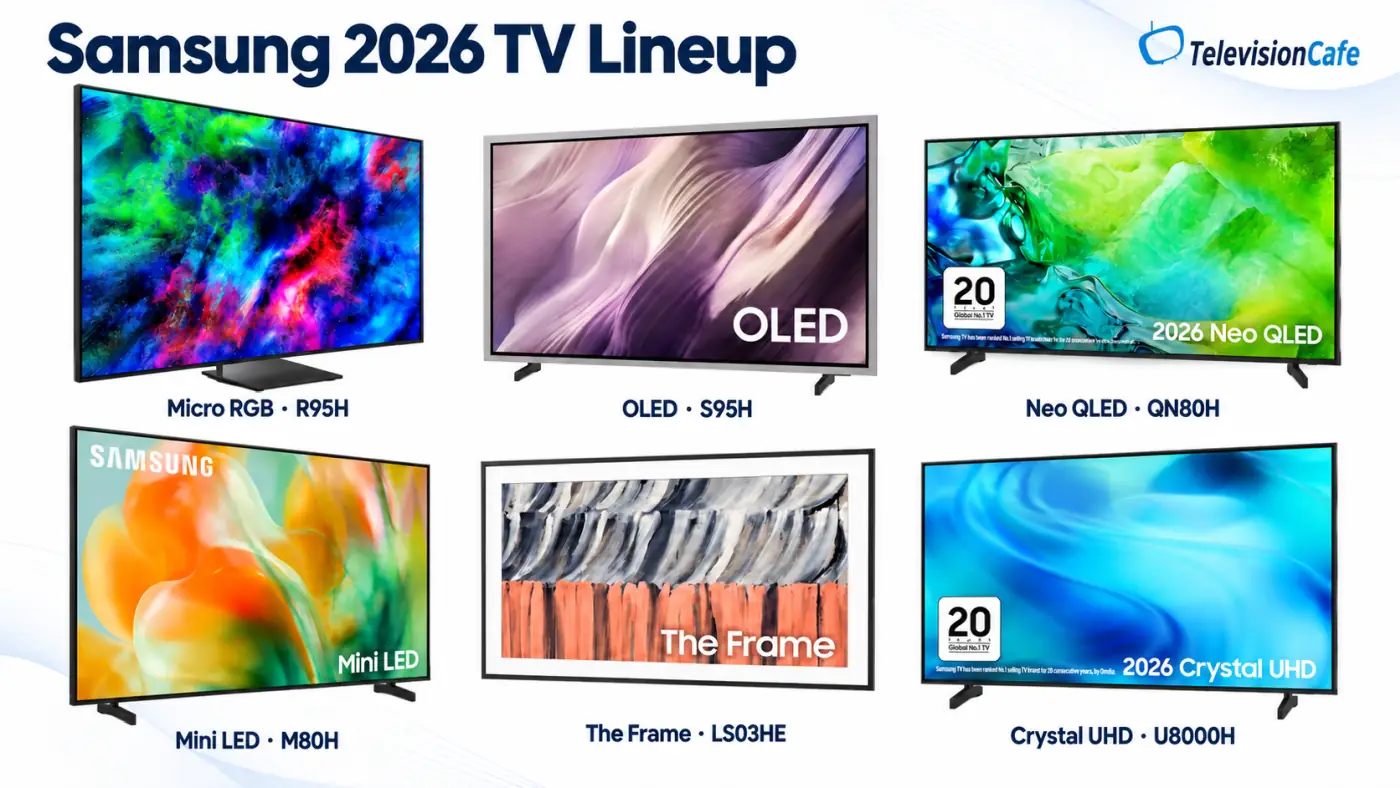
Samsung's 2026 U.S. range is easier to follow when you separate display technology from feature level. OLED is self-emitting; Micro RGB, Neo QLED, Mini LED, and Crystal UHD are LCD families with different backlighting and equipment.
The overview below uses Samsung's U.S. product listings and announcements, including its Neo QLED and Mini LED launch details. Model information was checked on November 12, 2026; a listed model or size doesn't guarantee stock or delivery to every ZIP code.
| Family | Main U.S. Series | Start Here If You Want |
|---|---|---|
| Micro RGB 4K | R95H, R85H | A premium RGB-backlit LCD |
| OLED 4K | S95H, S90H, S85H | Pixel-level contrast for movies and gaming |
| Neo QLED 4K | QN80H, QN70H, QN1EH | Quantum-dot LCD options at different feature levels |
| Neo QLED 8K | QN990H | An 85-inch premium 8K installation |
| Mini LED 4K | M90H, M80H, M70H | Lower-priced LCD choices; check dimming carefully |
| Crystal UHD 4K | U9000H, U8000H | A giant screen or an everyday budget TV |
| Art TVs | The Frame Pro LS03HW, The Frame LS03HE | Artwork and room design as part of the purchase |
Samsung Micro RGB TVs: R95H and R85H
Micro RGB replaces conventional LCD backlighting with tiny red, green, and blue LEDs. The appeal is broader color reproduction, but backlight specifications alone don't establish how well a TV handles dark scenes, reflections, or fast movement.
These remain LCD televisions with shared lighting zones, so they don't have OLED's individual light control at every pixel. Compare exact-size tests before paying a premium for the newer technology.
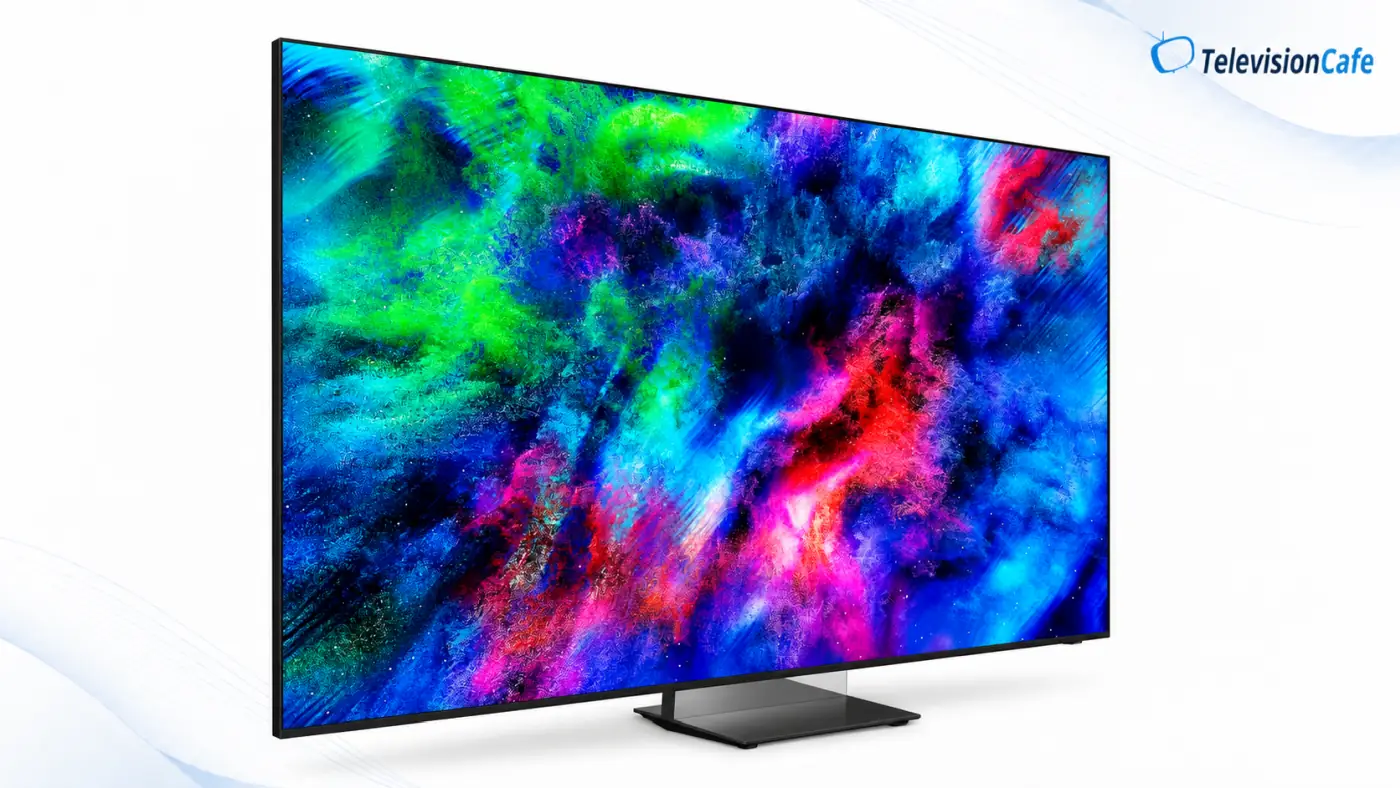
Samsung R95H: The Higher-Tier Micro RGB
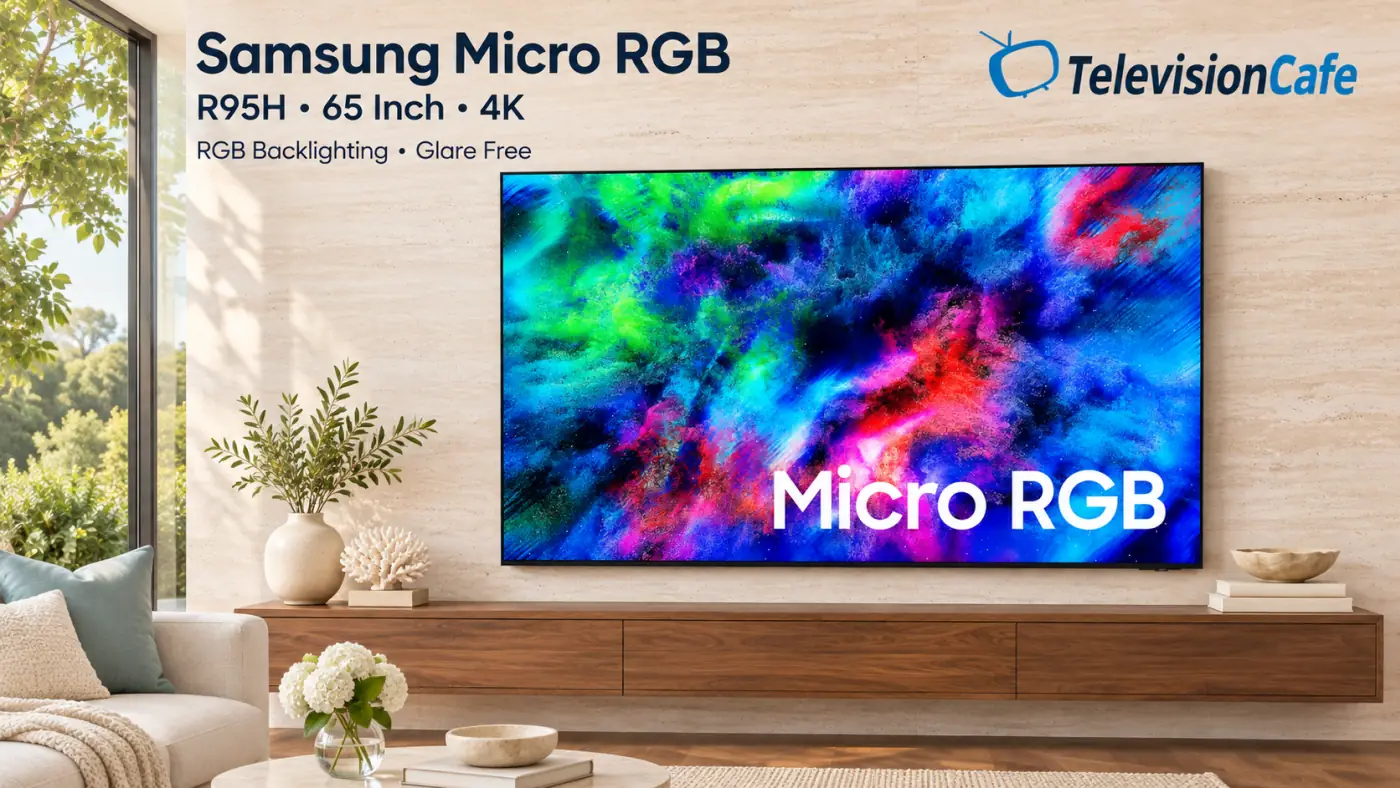
The R95H is the premium 2026 Micro RGB series, listed in 65, 75, and 85 inches in the U.S. Samsung equips it with the Micro RGB AI Engine Pro, Micro RGB HDR Pro, Glare Free treatment, and up to 4K/165Hz support for compatible PC gaming.
It's a model to investigate when you want a premium LCD and reflection control matters to your installation. Wireless One Connect Ready adds an optional way to move source connections away from the screen; the box is an additional purchase, and the TV still needs power.
Samsung R85H: Micro RGB in More Sizes
The R85H sits below the R95H and spans 55, 65, 75, 85, and a listed 100-inch option. It uses the Micro RGB AI Engine, Micro RGB HDR+, and up to 4K/144Hz gaming support. The R95H's Glare Free treatment and higher 165Hz ceiling are two upgrades to weigh against the price gap.
At the giant-screen end, Samsung's 115-inch MR95F also appears in its 2026 sales range as a carryover. It belongs to the earlier generation and has its own specification.
Samsung OLED TVs: S95H, S90H, and S85H
Samsung OLEDs create light at the pixel level, giving dark scenes clean blacks without an LCD backlight halo around subtitles. The 2026 choice runs from the flagship S95H through the S90H to the lower-priced S85H, with important panel and screen-finish differences.
Samsung S95H: The Flagship OLED
The U.S. S95H comes in 55, 65, 77, and 83 inches, with Glare Free, an NQ4 AI Gen3 processor, up to 4K/165Hz gaming, and a distinctive metal FloatLayer surround. It adds Art Store access and optional Wireless One Connect connectivity.
RTINGS tested the 77-inch S95H and found high brightness and strong reflection handling, while noting that ambient light raises its black levels. It identifies the 55-, 65-, and 77-inch U.S. versions as QD-OLED; the 83-inch uses RGB Tandem WOLED and needs separate consideration.
Put it on your shortlist for a premium movie and gaming screen, then compare its matte finish and design with the alternatives. LG G6 vs. Samsung S95H explores that flagship choice.
Samsung S90H: Choose the Size Before the Deal
The S90H brings Glare Free and up to 4K/165Hz support to a less expensive OLED tier. Its U.S. range covers 42, 48, 55, 65, 77, and 83 inches, but it isn't one identical display scaled to six sizes.
RTINGS identifies standard WOLED in the North American 42-, 55-, 65-, and 83-inch models, with RGB Tandem panels in the 48- and 77-inch versions. Its 65-inch test found effective glare handling and wide viewing angles; don't transfer that panel's brightness results to the other versions.
The S90H makes particular sense to investigate when reflections are a daily annoyance. Read our Samsung S90H review or compare LG C6 vs. Samsung S90H before choosing a size.
Samsung S85H: The Lower-Cost OLED Route
The S85H is Samsung's entry OLED family for 2026, listed in 48, 55, 65, 77, and 83 inches. The verified 65-inch U.S. model has an NQ4 AI Gen2 processor and 120Hz gaming support, rather than the higher-tier models' Gen3 processor and 165Hz ceiling.
It also lacks the S90H's Glare Free treatment. That makes it a useful comparison for buyers who mainly watch in controlled lighting and can save a meaningful amount, while a room with persistent screen reflections gives the S90H a clearer reason to cost more.
Samsung Neo QLED 4K TVs
Neo QLED combines an LCD panel, quantum-dot color technology, and Mini LED backlighting. The 2026 range contains a substantial feature gap: the QN80H offers high-refresh 4K gaming, while the QN70H and QN1EH should be approached as lower-tier televisions.
Samsung QN80H: The Mainstream LCD Step Up
The QN80H is listed in 55, 65, 75, 85, and 100 inches. It combines Quantum Mini LED Full Array backlighting, an NQ4 AI Gen2 processor, and up to 4K/144Hz support with compatible gaming hardware.
RTINGS' 65-inch test found useful brightness and contrast, but only moderate reflection handling and a narrow viewing angle. That makes it a more sensible candidate for mostly centered seating than a wide group spread across the room, and a window directly opposite the screen still deserves attention.
The backlight-control upgrade is a practical reason to spend more here than on the M80H, even though both advertise 144Hz.
Samsung QN70H: Neo QLED With Entry-Level Gaming Limits
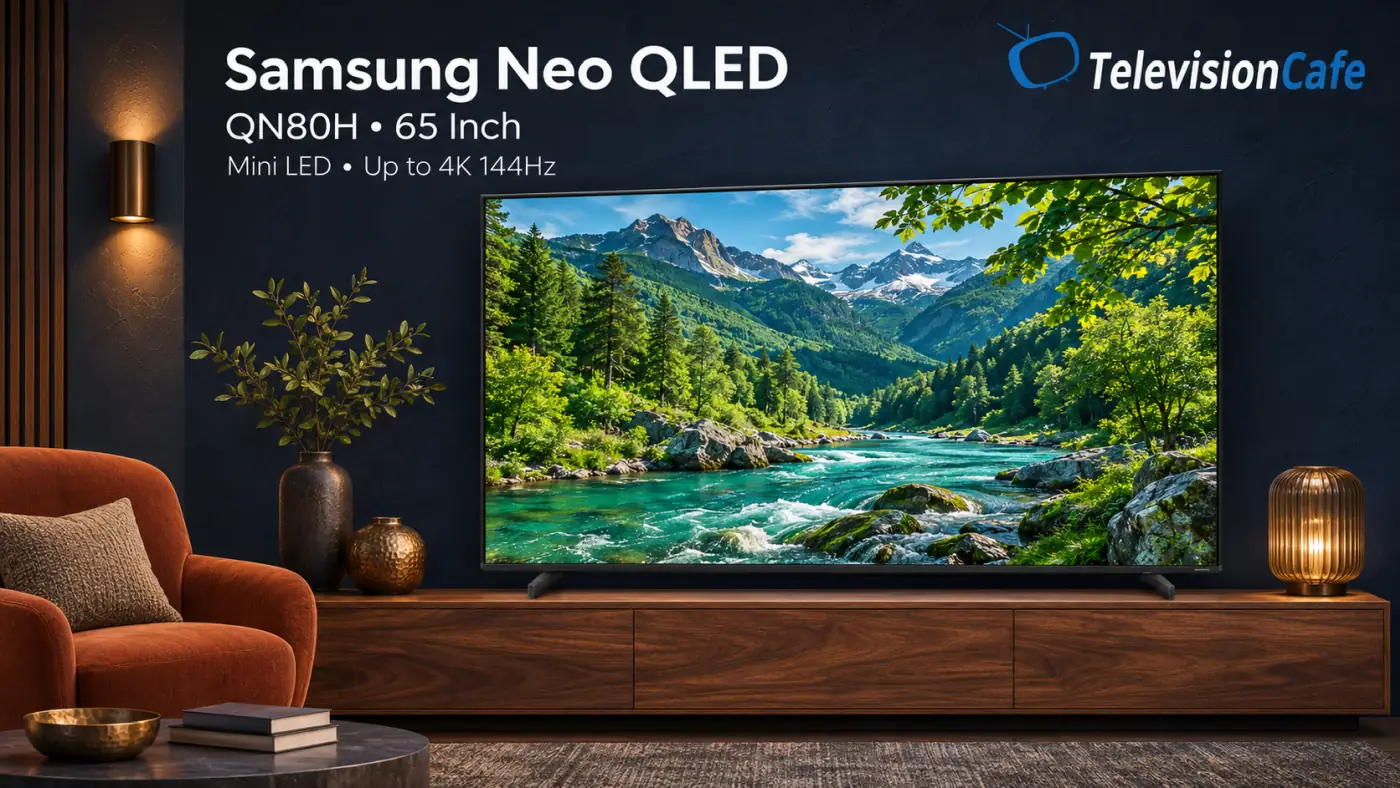
The QN70H spans 43, 50, 55, 65, 75, and 85 inches. Its 60Hz panel and lower-tier gaming connections separate it sharply from the QN80H; DLG 120Hz operation at reduced resolution isn't 4K/120Hz input.
RTINGS' 65-inch sample had weak HDR impact, limited off-angle viewing, and ineffective local dimming with visible halos. Those compromises make it difficult to recommend for a demanding movie room; its price needs to stand out for a basic, mostly centered viewing setup.
Samsung QN1EH: Read the Specification Before Ranking It
Samsung lists the QN1EH in 65, 75, and 85 inches, with Quantum Mini LED, quantum-dot color, and an NQ4 AI processor. The U.S. 65-inch product page specifies gaming up to 4K/60Hz.
For a 4K/120Hz console setup, the QN80H is the more appropriate feature comparison. For everyday viewing, the QN1EH's connections, backlight implementation, and price matter more than where its unusual name seems to fit in the range.
Samsung QN990H: The 8K Option
The verified U.S. QN990H is an 85-inch Neo QLED 8K television with a 7680 × 4320 panel, Quantum Mini LED Pro, an NQ8 AI Gen3 processor, Glare Free, and Wireless One Connect. Its specification separates the 8K display from gaming support that reaches up to 4K/240Hz with compatible hardware.
This is a specialist purchase for someone who wants that size, design, and connection arrangement. Most ordinary TV and movie sources still require upscaling, so paying for 8K doesn't create native detail that wasn't captured in the program.
Compare the same-budget 4K alternatives first. An 8K pixel count alone doesn't settle contrast, motion, reflections, or whether you'll notice a useful improvement from your seat.
Samsung Mini LED TVs: M90H, M80H, and M70H
The M-series brings Mini LED branding into lower price tiers, but the label needs care. Smaller LEDs describe the light source; they don't guarantee independently controlled dimming zones or strong HDR performance.
That distinction is especially important for the M80H and M70H, which RTINGS found lack local dimming on its tested 65-inch units.
Samsung M90H: The 100-Inch Mini LED
The M90H is the 100-inch option in this family. Samsung lists an NQ4 AI Gen2 processor, Supersize Picture Enhancer, and up to 4K/144Hz gaming support.
Its size is the reason to investigate it, especially when a smaller screen would leave you wanting more immersion. Check delivery access, stand width, mounting requirements, and exact-model contrast tests; neither its size nor the M80H's processor establishes the M90H's dimming performance.
Samsung M80H: Gaming Features Without Local Dimming
The M80H comes in 55, 65, 75, and 85 inches. Its specification includes an NQ4 AI Gen2 processor, HDMI 2.1 bandwidth, and up to 4K/144Hz input, making its connection package more capable than the M70H's.
The compromise is picture performance: RTINGS' 65-inch test found no local dimming, limited brightness, low contrast, and slow pixel response. A high accepted refresh rate doesn't by itself produce clear motion, so compare actual gaming tests before treating this as a budget performance pick.
Samsung M70H: A Basic TV With a Mini LED Backlight
The M70H covers 43, 50, 55, 65, 75, and 85 inches and focuses on everyday 4K viewing. The tested U.S. 65-inch version is a 60Hz television without hardware local dimming, according to RTINGS.
Samsung advertises DLG 120Hz on 55-inch and larger versions with reduced image sharpness; don't confuse that with full-resolution 4K/120Hz gaming. It belongs on a low-cost secondary-screen shortlist only when the price makes its limitations acceptable.
Our Samsung M70H review explains the backlight distinction and what to compare before buying.
Samsung Crystal UHD TVs: U9000H and U8000H
Crystal UHD is Samsung's everyday LCD family. The smaller U8000H models focus on inexpensive streaming, while the 98-inch U9000H adds a more capable processing and gaming package.
Samsung U9000H: Crystal UHD Goes to 98 Inches
The U9000H is a 98-inch U.S. model with Supersize Picture Enhancer, 4K AI Upscaling, and advertised 4K/144Hz support for a compatible PC. Those features set it apart from the smaller, simpler U8000H range.
Compare it with the 100-inch M90H and QN80H around your total installed cost. Screen size and accepted refresh rate are only part of that decision; contrast, reflections, and motion need their own evidence.
Samsung U8000H: Everyday 4K on a Smaller Budget
The U8000H is listed in 43, 50, 55, 58, 65, 70, 75, and 85 inches. Its Crystal Processor 4K and built-in smart platform target straightforward streaming and television viewing.
It's a sensible family to compare for a bedroom, guest room, or occasional-use screen when cost matters more than cinematic HDR. Samsung's DLG 120Hz claim for 55-inch and larger sizes includes reduced sharpness; it shouldn't be read as a promise of native 4K/120Hz capability.
Samsung The Frame and The Frame Pro
The Frame family is for rooms where displaying art is part of the TV's job. Compare its installation and artwork features alongside picture performance, including any extra cost for a decorative bezel or Art Store subscription.
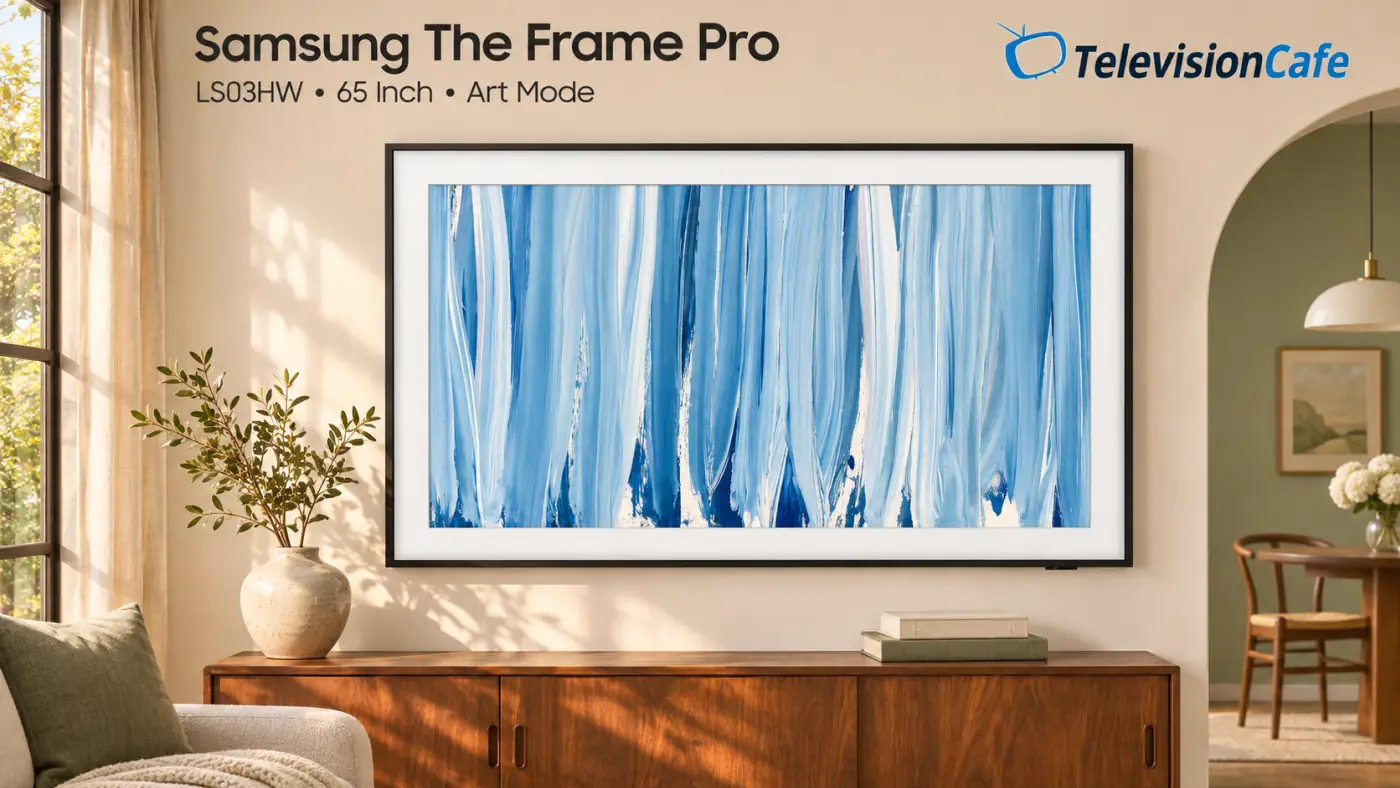
Samsung The Frame Pro LS03HW: Art With a Wireless Connection Hub
The 2026 Frame Pro LS03HW is listed in 55, 65, 75, and 85 inches. It combines a Neo QLED Mini LED display, Glare Free treatment, Art Mode, and Wireless One Connect to move source connections away from the screen.
Choose it because the framed presentation and connection arrangement suit your room. The screen and wireless box still require power, and cabinet materials, walls, and placement can affect the wireless connection.
Samsung includes a rotating free artwork selection, while full Art Store access is a paid service. Customizable decorative bezels are sold separately.
Samsung The Frame LS03HE: The Simpler Art-TV Setup
The 2026 Frame LS03HE is the standard QLED alternative, listed in 55, 65, 75, 85, and 98 inches on the checked U.S. page. Its connections are built into the television, unlike the Frame Pro's wireless hub arrangement.
That changes the cable-routing plan when replacing an older Frame. Existing bezels, wall mounts, and One Connect accessories need a generation-specific compatibility check before you reuse them.
Other Samsung QLED Models and Previous-Year TVs
QLED is a broader label than Neo QLED. Samsung's U.S. store also lists 2025 Q8F and Q7F models as previous-generation options alongside the newer ranges.
For a Q8F or Q7F deal, compare the exact screen size, full-resolution refresh rate, local dimming, and current price with the newer M-series and Neo QLED models. The label alone doesn't tell you which is the better purchase.
The same logic applies to an older OLED or Neo QLED: a substantial saving can be useful, but a newer model can also bring a different panel or screen finish. Confirm the actual change before assuming either generation wins.
Samsung TV Model Numbers: What to Check
Use the complete model code when comparing specifications or ordering accessories. For example, QN65S90HAEXZA identifies a particular U.S. 65-inch S90H, while MRN65R95HAFXZA identifies a U.S. 65-inch R95H Micro RGB.
- 65 identifies the screen-size class in these examples.
- S90H or R95H identifies the model family.
- The remaining letters distinguish the full version; keep them when checking support, tuners, accessories, and warranty coverage.
Don't decode the opening QN as proof of a QLED panel: Samsung also uses it in U.S. OLED model codes. Likewise, a higher number inside a series name isn't a substitute for checking the actual hardware.
Tizen, Vision AI, Gaming Hub, and Q-Symphony
Samsung's One UI Tizen platform brings streaming apps, Samsung TV Plus, and supported smart-home features together. Samsung promises up to seven years of Tizen OS upgrades for eligible 2026 models, counted from the model year; that isn't a seven-year hardware warranty or a guarantee that every future feature will work on the TV.
Vision AI features vary by model, region, app, and input. Conversational tools and automatic picture adjustments can be useful extras; movie processing still needs to be judged from the resulting picture.
If Copilot is a feature you use, read the separate notice about Copilot leaving LG and Samsung TVs.
Gaming Hub provides access to supported cloud-gaming services, subject to internet, controller, account, and subscription requirements. It doesn't add HDMI bandwidth or turn a 60Hz television into a 4K/120Hz display.
Q-Symphony can combine compatible TV and Samsung audio-device speakers. You can still choose a different-brand soundbar or receiver; check the audio formats and HDMI path your equipment supports, and use our HDMI ARC/eARC troubleshooting guide if the connection misbehaves.

Which Samsung 2026 TV Should You Buy?
For a main movie and gaming screen, compare the S90H with the S95H at your preferred size: the decision is whether the flagship's display and design upgrades justify the price gap in your room. Consider the S85H when the saving is substantial and lighting is controlled; if Dolby Vision is essential, include a suitable model from another brand.
For an LCD, start with the QN80H and investigate R95H or R85H when their premium features address your needs. Buy The Frame for the art-focused installation, and approach M-series or Crystal UHD models with a clear budget and realistic picture expectations. Compare the actual offer, return policy, and installation costs before paying extra for a series name; our 65-inch OLED vs. 75-inch Mini LED guide helps when size and display technology compete for the same budget.
Samsung TV FAQ
Is Samsung a good TV brand?
Samsung offers capable televisions across several display technologies, but the right choice depends on the model and price. Its premium OLEDs, lower-cost LCDs, and art-focused TVs serve different needs, so compare the television rather than the brand alone.
Is Samsung OLED better than Neo QLED?
OLED gives each pixel its own light control, which is useful for dark movies and bright subtitles against black. Neo QLED uses an LCD backlight and can suit different sizes and budgets, but its brightness, viewing angles, and dimming performance depend on the model.
Does Samsung support Dolby Vision?
No. Samsung's current TVs don't support Dolby Vision, although they support other HDR formats such as HDR10 and HDR10+. Dolby Atmos is an audio format and doesn't imply Dolby Vision video support.
Are the Samsung S95H and S99H the same TV?
The U.S. S95H corresponds to the S99H sold in some European markets. Those markets can also sell a different S95H with a center stand and more conventional design, so compare the full model code and included connection equipment.
Is every Samsung S90H a QD-OLED?
No. RTINGS identifies WOLED panels across the North American S90H range, including RGB Tandem versions at 48 and 77 inches. Some international versions use QD-OLED, so an overseas review may describe different hardware.
Does a Samsung Mini LED TV always have local dimming?
No. Mini LED describes the backlight's light sources. RTINGS' 65-inch M70H and M80H tests found no local dimming, so check hardware backlight control separately from the marketing label.
Is DLG 120Hz the same as 4K at 120Hz?
No. DLG can raise the displayed refresh rate by sacrificing resolution or image sharpness. Check the supported full-resolution HDMI inputs when you want 4K/120Hz console gaming or higher-refresh PC gaming.
Is Micro RGB the same as MicroLED?
No. Samsung Micro RGB TVs use red, green, and blue LEDs as an LCD backlight. MicroLED displays create the image with self-emitting LEDs instead of illuminating an LCD panel.
Does Wireless One Connect mean the TV has no cables?
No. Wireless One Connect moves supported source connections away from the screen, but both the television and the connection box still need power. Check whether the box is included or sold separately for your exact model.
Do I need a Samsung soundbar for a Samsung TV?
No. A compatible soundbar or receiver from another brand can work through the appropriate audio connection. Q-Symphony is an additional feature for supported Samsung combinations, rather than a requirement for external sound.